
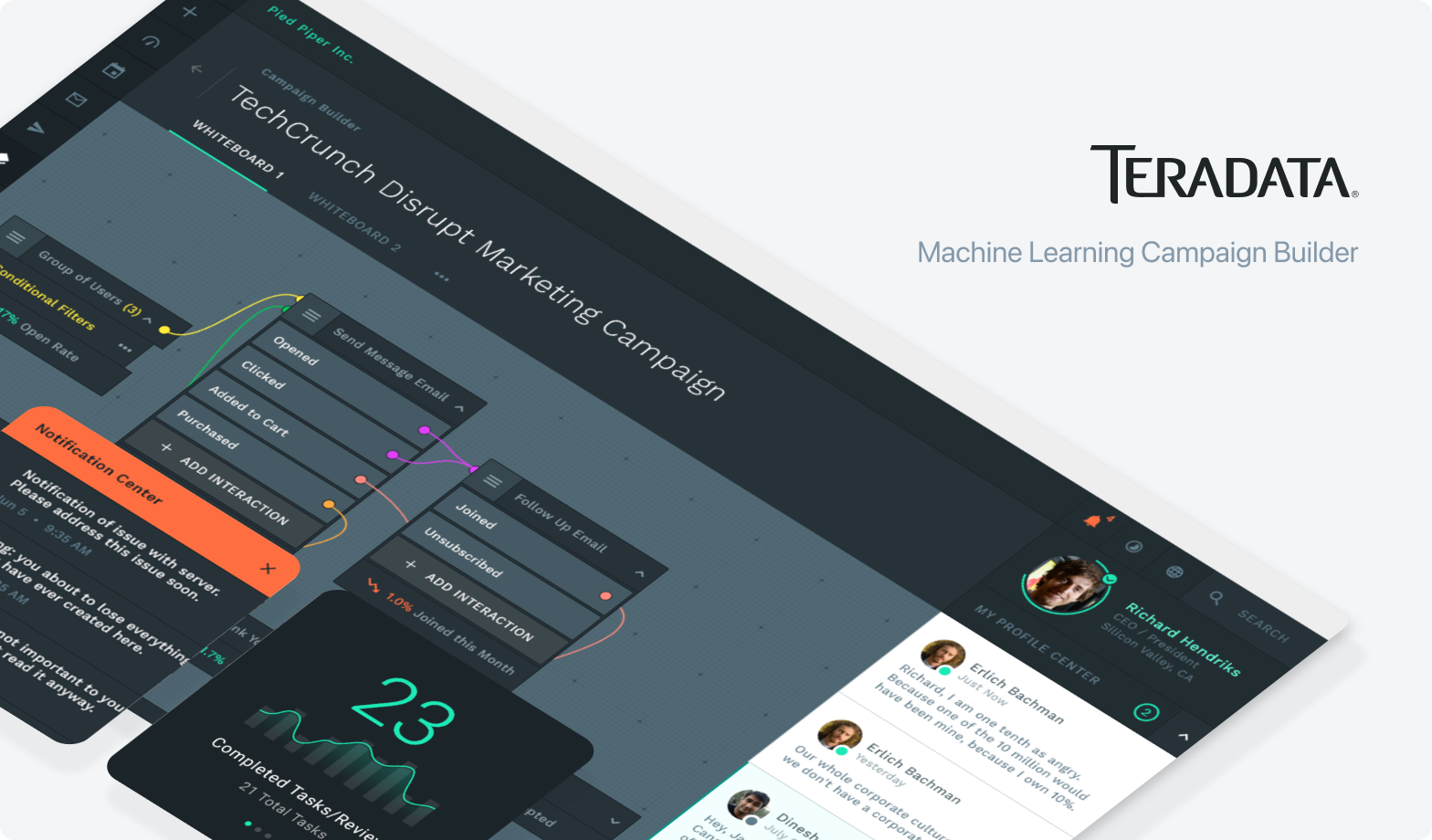
Building a unified design system and UI language across a complex enterprise marketing platform from scratch.
Role
Lead Visual Designer
Company
Teradata
Project Type
Design System & UI Design
The Challenge
Teradata had assembled a suite of marketing applications through years of acquisition and independent development. Each product had its own visual language, interaction patterns, and component decisions. Users moved between these tools every day jumping from campaign scheduling to email composition to social publishing to analytics, and the inconsistency created real friction. The product felt bigger and more complex than it actually needed to be.
My job was to define a unified visual foundation, build the pattern library that made it scalable, and maintain a big-picture view of how every feature connected. Because I was designing across the entire suite simultaneously, I could see the seams where workflows crossed application boundaries and keep the experience coherent end to end.


Project Goals
Unify a fragmented suite
Bring multiple independently built marketing applications under a single visual language and interaction system without breaking existing workflows.
Build a scalable pattern library
Design a component and pattern library flexible enough to support new applications and features as the product suite continued to grow.
Reduce cognitive load across workflows
Simplify the daily tasks of marketing teams by creating consistent, predictable patterns for forms, tables, data entry, and campaign management.
Define the visual language from scratch
Establish a coherent color system, typography scale, iconography, and hierarchy rules that could work across vastly different application contexts.
The Design System
Before any application screens we needed a shared foundation. Color, type, spacing, iconography, and interactive states, all defined, documented, and distributed to a team of UI designers. This was the first unified design system Teradata had across the suite. Getting it right meant getting buy-in from teams who had been building independently for years.


Core Components
Forms, tables, and filters were the workhorses of the suite. Every application needed them, and they had to behave identically everywhere, because users moving between apps shouldn’t have to relearn how to select a row, apply a filter, or submit a form. Getting these right was the foundation everything else depended on.


Machine Learning Automation Filter Designer
One of the most technically complex UX problems on the project. The Filter Designer was a machine learning automation builder that allowed marketing teams to construct complex multi-level and/or boolean logic statements, defining precise audience targeting criteria that triggered tailored campaign experiences for different demographic groups.
The challenge was making a genuinely powerful logic engine feel approachable to non-technical marketing users. Users needed to be able to say “send this campaign to users who have done X and Y, but not Z, or who match this other criteria entirely” — and they needed to be able to build that without writing code or understanding how the underlying ML model worked. Designing the progressive disclosure, the if/then relationship visualization, and the error states for invalid logic combinations was where most of my UX discovery time went on this feature.

The Filter Designer also had to stay consistent with the filter components built earlier in the core component library, so users who had learned how filtering worked in tables and lists came into the Filter Designer with a head start. That cross-feature continuity was intentional and only possible because I was designing both simultaneously.

Campaign Builder
The Campaign Builder was the most complex component in the suite. A node-based canvas where users drag out interaction points and connect them with if/then conditional logic to build multi-level, multi-channel marketing campaigns. Each node represented a touchpoint, an email, a social post, a decision point, and the connections between them defined the logic of the campaign flow.

This feature was directly downstream of the Filter Designer. Audiences built with the Filter Designer’s targeting criteria fed into Campaign Builder flows. Making sure users understood that relationship, and that the visual language of the two features felt connected, was a deliberate design decision that required holding both in mind at the same time.

Campaign Calendar
A shared calendar component giving marketing teams a unified view of scheduled campaigns across all channels, built once, used across multiple applications in the suite. Designed once, used across multiple applications. The same calendar interaction model worked whether you were looking at email sends, social posts, or multi-step campaign timelines, month view or week view, the behavior was consistent.


Email Builder
Campaign flows built in the Campaign Builder needed to connect to actual content. The Email Builder used a drag-and-drop block system with reusable components, headers, image blocks, product grids, CTAs organized into a searchable library. A live preview updated as users composed, so non-technical marketers could build production-ready emails without touching code.

Workflow
Because I had designed the Campaign Builder upstream, I could make sure the Email Builder’s workflow matched the mental model users had already built, same tab structure, same save and publish patterns, same way of thinking about a message as an object. Users moving from campaign setup into content creation didn’t have to shift gears.

Live template preview with a structured block library, giving non-technical marketing teams full control over email composition.
Kanban Campaign Manager
The Kanban Campaign Manager closed the loop, connecting the campaign creation tools to actual project management. Teams could create new campaigns, assign work across contributors, track progress through sprint stages, and review individual performance. Because I had designed the campaign creation flow upstream, I could make sure the task cards in the kanban reflected the right metadata from the Campaign Builder, users didn’t have to re-enter context that the system already had.


The full Kanban flow, empty state through populated board, sprint analytics panel open, and individual user profile with activity feed and completion tracking.


Evolving the System
V2 wasn’t a redesign. It was an evolution. The mental models, the information architecture, the component patterns, all of it carried forward. What changed was the visual direction: a darker, more modern system that better reflected the sophistication of the product and the seriousness of the enterprise marketing space.


Lessons Learned
Design systems are inherited, not invented. Consistency at the seams is the real work. Not just a single feature, but every seam between them, how the Filter Designer fed into the Campaign Builder, how the Kanban reflected the campaign structure created upstream. Complex logic needs progressive disclosure. Leading a design team is systems work too. That kind of thinking across product boundaries is something I’ve carried into every role since.
Keep Going
There is more to explore, rummage through more of my recent design work.
Design System
Unified, scalable design system for a product suite.
Want to see more?
Explore my complete portfolio.
Still Not Enough? Time to Raid the Archives
Check my older work, that I have not had the heart to retire yet.
Hope to hear from you
Please, take a moment and send a message and lets connect.

